
.png)
Description
Download ArxivGPT – AI‑Powered Research Paper Summarizer for Chrome
Overview
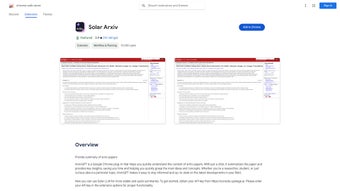
ArxivGPT is a lightweight Chrome extension built to streamline the way researchers, students, and science enthusiasts interact with scholarly articles hosted on arXiv.org. By harnessing the power of modern large‑language models, the tool delivers concise, human‑readable summaries with a single click, allowing users to capture the essence of complex papers without wading through dense technical sections. In addition to summarization, ArxivGPT introduces an interactive Q&A feature that lets readers pose natural‑language questions directly about the paper’s content. The extension automatically extracts relevant passages and generates clear answers, turning a static PDF into a dynamic learning experience. Designed for speed and security, ArxivGPT runs entirely within the Chrome browser, meaning no additional software installations or background services are required. Its minimalist interface blends seamlessly with the arXiv website, offering a “Summarize” button beside the abstract and a discreet chat‑like window for follow‑up queries. While early adopters praise the time‑saving benefits, some users have noted occasional inaccuracies in highly specialized domains, a limitation the development team has pledged to address in forthcoming updates. Overall, ArxivGPT positions itself as a free, secure, and regularly updated tool that empowers academics to stay ahead of the literature curve, especially in fast‑moving fields such as machine learning, quantum physics, and computational biology.
Core Features & Interactive Capabilities
- One‑Click Summaries: Generate a 150‑word overview of any arXiv paper in seconds.
- Context‑Aware Q&A: Ask natural‑language questions and receive concise answers drawn from the full text.
- Customizable Summary Length: Choose between short, medium, or detailed summaries to match your reading style.
- Secure Browser‑Only Processing: All AI calls are routed through encrypted HTTPS endpoints; no local data is stored.
- Automatic Updates: The extension checks for new model releases and security patches weekly.
- Cross‑Platform Compatibility: Works on Chrome for Windows, macOS, Linux, as well as Chrome on Android and iOS.
- Lightweight Footprint: Under 5 MB download size, minimal RAM impact, and no background daemons.
- Offline Cache (Beta): Save recent summaries locally for quick reference without an internet connection.
The summarization engine combines extractive and abstractive techniques to ensure that key figures, equations, and experimental results are preserved while removing redundant jargon. When a user submits a question, ArxivGPT first identifies the most relevant sections using semantic similarity, then generates an answer that cites the original paragraph, giving readers confidence in the source. This dual‑functionality makes the extension more than just a reading aid; it becomes an interactive research companion that can clarify methodology, define terminology, or highlight future work without the need to open the PDF in a separate viewer. Users can also export summaries as plain text or markdown, facilitating easy integration into literature reviews, notes, or collaborative documents.
Installation, Usage & Compatibility
Step‑by‑Step Installation
- Open the Chrome Web Store and search for “ArxivGPT”.
- Click “Add to Chrome” and confirm the permission prompt (access to arXiv.org pages).
- Once installed, a small ArxivGPT icon appears next to the address bar.
- Navigate to any arXiv paper (e.g., https://arxiv.org/abs/2401.12345).
- Click the newly added “Summarize” button beside the abstract to generate a summary.
After the first use, the extension will request permission to store a short cache of recent summaries for faster retrieval. This cache is encrypted locally and can be cleared at any time from the extension’s options page.
Using the Interactive Q&A
Once a summary is displayed, a collapsible chat window appears beneath it. Type any question such as “What dataset was used?” or “Explain the main theorem.” The AI processes the full paper in the background and returns an answer within a few seconds, highlighting the source paragraph for verification. Users can ask follow‑up questions, creating a conversational thread that mimics a live discussion with the author.
Operating System Support
ArxivGPT runs natively in Google Chrome on Windows 10/11, macOS Ventura and later, Linux distributions that support Chrome, as well as Chrome mobile on Android 9+ and iOS 13+. Because it is a browser extension, there is no separate desktop or mobile app to install, ensuring a consistent experience across devices.
Best Practices for Optimal Performance
For the most accurate summaries, ensure you are using the latest version of Chrome (recommended version 128 or newer) and have a stable internet connection. The AI backend benefits from low‑latency networks; users on high‑latency VPNs may notice a slight delay in answer generation. If you encounter unexpected results, clearing the cache from the extension’s settings often resolves the issue.
Pros, Cons, FAQ & Conclusion
Pros & Cons
- Pros:
- Fast, one‑click summarization saves hours of reading.
- Interactive Q&A turns static papers into dynamic learning tools.
- Free, open‑source pricing model with regular updates.
- Cross‑platform support via Chrome ensures wide accessibility.
- Secure, browser‑only processing respects user privacy.
- Cons:
- Summaries may occasionally miss highly specialized nuances.
- Dependence on an internet connection for AI calls.
- Beta offline cache still experimental and may not store large papers.
- Limited to arXiv.org; other repositories are not supported yet.
Frequently Asked Questions
Is ArxivGPT completely free?
Yes, the extension is free to download and use. There are no hidden subscription fees, though future premium features may be offered.
How does the AI generate summaries?
ArxivGPT uses a hybrid approach that first extracts key sentences and then refines them with a large‑language model to produce a coherent abstract‑length summary.
Can I use ArxivGPT on mobile devices?
Yes, the extension works in Chrome for Android and iOS, providing the same summarization and Q&A features as on desktop browsers.
What happens to my data after I ask a question?
All queries are sent over encrypted HTTPS to the AI service. No personal data is stored on the user's device beyond a temporary cache that can be cleared manually.
Will ArxivGPT work with PDFs hosted outside arXiv?
Currently the extension is limited to arXiv.org pages. The development roadmap includes support for other pre‑print servers in future releases.
Conclusion & Call to Action
ArxivGPT bridges the gap between the overwhelming volume of scientific literature and the researcher’s need for rapid comprehension. By delivering accurate summaries and an intuitive Q&A interface, it helps students and professionals stay current without sacrificing depth. Ready to boost your research workflow? Download ArxivGPT now and experience a smarter way to read arXiv papers.
ArxivGPT offers a fast, reliable summarization experience that saves time and improves understanding. While occasional niche inaccuracies exist, the overall value makes it a must‑have tool for anyone navigating the ever‑growing arXiv repository.
Guides & Tutorials for ArxivGPT
How to install ArxivGPT
- Click the Preview / Download button above.
- Once redirected, accept the terms and click Install.
- Wait for the ArxivGPT download to finish on your device.
How to use ArxivGPT
This software is primarily used for its core features described above. Open the app after installation to explore its capabilities.
User Reviews for ArxivGPT 0
No reviews found




